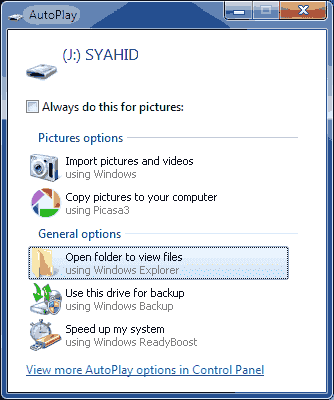
How to disable autoplay on usb flashdisk

autoplay flashdisk

When usb flashdisk or cd, DVD are installed at computer or laptop usually will be expand this drive at windows explorer or another programs. This setting called autoplay. Autoplay make user easily to open their file without expand at windows explorer first. however, autoplay can potentially computer from viruses like trojan, worm, etc. If You want to disable autoplay for CD and pendrive or DVD, You can follow the steps below :
  1. Click start and type gpedit.msc then press enter

    open gpedit
  2. Choose computer configuration/administrative templates/all settings
  3. On the right pane scrool down and double clicks turn off autoplay.

    disable autorun flashdisk
  4. Set to enable. At the option turn off autoplay on, choose all drives and then click apply and OK

    disable autoplay flashdisk 
  5. Do it the same steps on User configuration
Now if you want to open your flashdisk or CD and DVD on computer, you must open that drive with windows explorer and before you expand that pendrive, you should to scan first with antivirus.

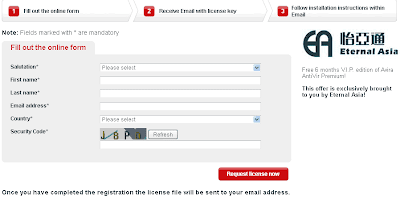
Get free Avira Antivirus Premium 2012 with activation code

Avira antivir premium 2012 free 

Avira Antivirus is one of more best antivirus. Avira antivirus available of free avira antivirus and avira antivirus premium. Avira antivirus premium provides better protection that the avira free. For get a avira antivirus premium 2012, you can buy that software at home page here

But now you can get Avira Antivirus Premium 2012 promo for free 6 months by following this steps :
  1. Open promo page of Avira Antivir Premium 2012 activation code here : Avira Antivir Premium 2012 promo page 

    Request Avira antivir premium 2012 free 
  2. You will receive email from Avira that contain confirmation link for the activation code and download link Avira Antivir Premium 2012
License code from this promo is not to for comercial uses. This license code is free for personal uses. You can download Avira Antivirus Premium 2012 here : http://www.avira.com/premium-download . This license code active for 6 mounth, and if promo ended you can buy Avira Antivir Premium 2012

Freedownload TweakNow Power Pack 2011

TweakNow PowerPack is a free software that used to tweak computer’s operating system and web browser. Although a free but this software is powerfull to fine tune your computer. There are many usefull utilities to optimizer your computer. Available many features in this program, The Registry Cleaner module provides you with a safe and simple way to clean Windows Registry, For Windows tweaking lovers, the suite provides more than 100 hidden Windows settings in the Windows Secret section, customize your windows, troubleshooting, view detail information about computer (operating system, memory, harddisk, processor, motherboard, etc) and many more. With this software, you can easily make computer  to run faster and customize configuration your desktop. TweakNow PowerPack is compatible with Windows XP/Vista/Windows7.

freedownload software tweak windows

If you want to get this software, you can download at this link below.

 
Powered by Blogger | Printable Coupons