Download VLC Player 2.0.5 Free

VLC Media player is software wich can play video and audio files. Now, new version of VLC Player for Windows, Mac and Linux has been released. It is VLC Player 2.0.5 and is available for download.

VLC Player

Features of VLC 2.0.5
  • Simple, fast and powerful media player.
  • Plays everything: Files, Discs, Webcams, Devices and Streams.
  • Plays most codecs with no codec packs needed:
  • MPEG-2, DivX, H.264, MKV, WebM, WMV, MP3...
  • Runs on all platforms: Windows, Linux, Mac OS X, Unix...
  • Completely Free, 0 spyware, 0 ads and no user tracking.
  • Can do media conversion and streaming.
  • Updated translations for Asturian, Bengali (India), Bosnian, Croatian, Czech, Danish, Dutch, Estonian, French, Galician, Scottish Gaelic, German, Hebrew, Italian, Japanese, Khmer, Malayalam, Polish, Slovak, Simplified Chinese, Traditional Chinese, Brazilian Portuguese, Turkish and Thai.
You can Download VLC by following link
Download Defraggler 2.12.628 Free

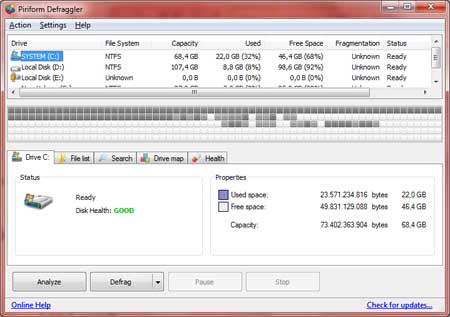
Defraggler is software that can help you to defragmenting of harddisk. Disk Defragmenting should be scheduled to increase performance of windows. Defraggler 2.12 now has been released with support for Windows server 2012. Defraggler can run on Windows XP, Windows Vista, windows 7, windows 8 and Windows 2012 server.

Defraggler

Released Notes Of Defreaggler 2.12
  • Added Windows 2012 Server support.
  • Added advanced crash reporting.
  • Added support for drives mounted as NTFS junction points.
  • Improved placement of fragments larger than 100MB.
  • Scheduled defrags can now be prevented if specific processes are running.
  • Updated translations.
  • GUI and usability improvements.
  • Minor bug fixes.
You can download it by following link bellow

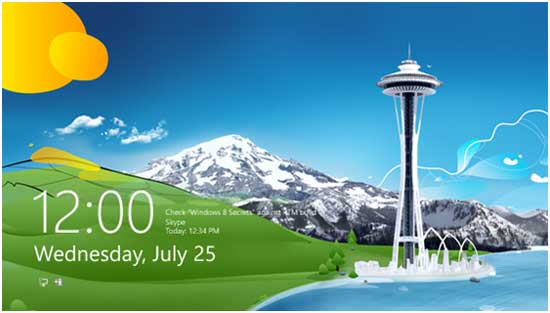
How To Disable The Lock Screen In Windows 8

Lock screen windows 8

If you want to disable the lock screen in windows 8 in order to have faster access to the logon screen, you can do it with this tutorial.
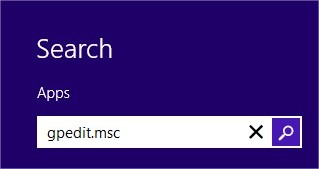
  1. Click on Search at the bottom-right corner of the screen. And then type gpedit.msc and hit enter.

    Search Field

  2. Navigate to Computer Configuration\Administrative Templates\Control Panel\Personalization.
    Personalization windows 8

  3. Double click the Do not display the lock screen option, change it to Enabled and click on Apply and OK

    Enabled

  4. Restart your computer

 
Powered by Blogger | Printable Coupons