Restore default font in windows 7

Because your activity at your computer, like installed many program or softwares and new fonts or cause anothers activity, your windows now not use default fonts again. This situation become of you not familiar with display fonts in windows. If you want to restore default font in windows 7, you can follow this tricks below :
  1. Open the control panel and then select Appearance and Personalization
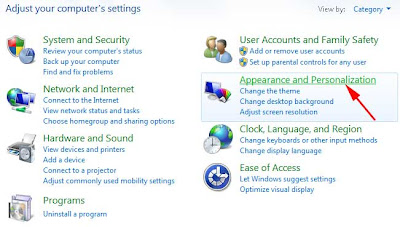
    default font settings
  2. At Fonts point, select Fonts setting

    default font settings
  3. Click at Restore default font settings

    default font settings 
  4. Now, your windows will be use default font again

How to resize icon on the desktop windows 7

For some user, display desktop is very important. they are like wallpaper about their collections photos. size of icons on the desktop are become one of the the consideration for user. Some of user like a small icons and the others like larger one.

Resize icon on the desktop windows 7 for larger or smaller can be do it with a simply trick,  press Ctrl + Mouse scroll wheel. thats it, you will see your icons on the desktop be smaller or larger.

resize icon desktop windows 7

How to disable autoplay on usb flashdisk

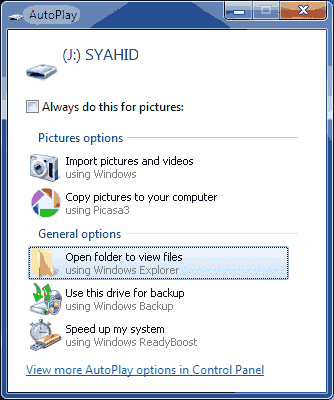
autoplay flashdisk

When usb flashdisk or cd, DVD are installed at computer or laptop usually will be expand this drive at windows explorer or another programs. This setting called autoplay. Autoplay make user easily to open their file without expand at windows explorer first. however, autoplay can potentially computer from viruses like trojan, worm, etc. If You want to disable autoplay for CD and pendrive or DVD, You can follow the steps below :
  1. Click start and type gpedit.msc then press enter

    open gpedit
  2. Choose computer configuration/administrative templates/all settings
  3. On the right pane scrool down and double clicks turn off autoplay.

    disable autorun flashdisk
  4. Set to enable. At the option turn off autoplay on, choose all drives and then click apply and OK

    disable autoplay flashdisk 
  5. Do it the same steps on User configuration
Now if you want to open your flashdisk or CD and DVD on computer, you must open that drive with windows explorer and before you expand that pendrive, you should to scan first with antivirus.

 
Powered by Blogger | Printable Coupons